

© 2026 Zorelo. All rights reserved.
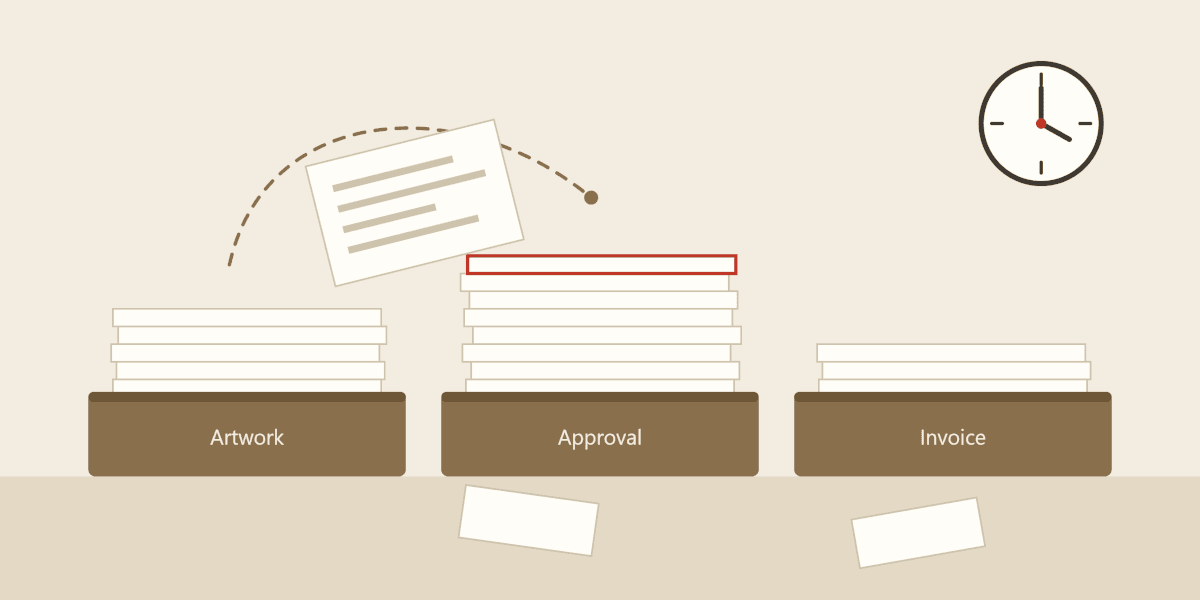
This is the first in a series of articles I plan to write, exploring the real costs of using workarounds. Workarounds are what a business resorts to when their system doesn’t support their workflow. I’m starting with paperwork.
So, let’s talk about the use of paperwork for order processing. Physical paperwork. As in, sheets of paper relating to a specific order, which move around a business as that order is being processed.
In the digital world that we live in, it might seem baffling that some businesses still process orders in this way. I want to clarify why some companies still rely on paperwork, and explain the hidden costs of doing so.
The simple answer: Because their software isn’t suitable for their workflow.
I’m generalising of course; there are exceptions and edge cases, but for the most part, it’s because their system doesn’t offer what their business needs.
That’s not to say that they’re using bad software, they might be using a very popular platform which works really well for other businesses, it just doesn’t accommodate their unique workflow.
Many ERP systems are built for businesses with simple models:
Customer Places Order > Order Picked > Order Shipped
But some businesses are more complex, and without an ERP designed to handle that complexity, they are forced to implement workarounds, such as a paper-based system for order processing.
Here’s an example. Let’s say we have a business which sells bespoke items. These items are designed and manufactured as part of the order process. Orders need to go through various stages, such as needing artwork, internal review, customer approval, picking, embroidery, etc.
The business needs a way to track which stage each order is on. Each department needs to know which orders require their action, and they need all of the relevant information associated with each order.
Their system doesn’t provide them with a way to do this. Their orders might sit on the system grouped by status, but with only a few different pre-defined statuses such as ‘In progress’, this isn’t much help. When someone opens an order on the system, it doesn’t show everything that they need to know. It shows all the standard information which is relevant to most businesses, but not the additional information needed to process their bespoke orders.
So what do they do? They implement a paper-based system, with trays for each stage of their order process. Orders are created digitally, and then they fill in the corresponding paperwork for that order. The paperwork moves from tray to tray as the order progresses through their order process. Each department has a physical tray of orders to work through. The paperwork shows the additional information which their digital system wasn’t able to.
And… It works! Or at least, it does at first. The issue is that it’s just not scalable. As the business grows, things get messy fast.
If your business is reliant on paperwork, don’t worry, I’m not here to shame you. The decision to use paperwork for order processing probably made sense at the time. But as you start taking more orders, and as you start growing your team, it stops making sense.
Maybe that paper-based system still seems to be working for you, but there might be some hidden costs that you aren’t yet aware of. Problems which seem small now, tend to grow exponentially as your business grows. If you want to start scaling up your business, start by looking at your system.
Paper and toner are some of the obvious and easily quantifiable costs, but I want to focus on the more hidden costs, which tend to be much more significant.
Performing simple admin tasks takes longer when you’re working with paper. A huge part of this is down to duplication of work. If you’re running a paper-based system alongside your digital system, then you have to double-handle a lot of the same information — once in your software, and then again for your paperwork. This is not an efficient way to work.
Finding answers takes much longer when you have to dig through multiple trays, searching through stacks of paperwork to find one specific order. The same is true when you need to update an order - you’ve updated the order in your digital system, but now you have to find and update the corresponding paperwork.
Then there’s the automation and handy time-savers that aren’t possible within a paper-based system. Within a digital system, you can search to find what you’re looking for instantly, and you can open a customer’s record to see all of their outstanding and fulfilled orders. You can copy and paste text or clone entire orders. Calculations can be done for you automatically, and some fields can be pre-filled.
We’ve already covered the double handling of data in relation to efficiency, but keeping two records for an order (digital and paper) also introduces huge scope for human error. Typos happen. Sometimes you get interrupted after updating one of the records, and forget to update the other. Sometimes you grab the wrong sheet of paper from a tray and accidentally update the wrong order without realising. Or maybe the paperwork gets misplaced, and no one realises until weeks later when the customer starts chasing.
Even if these mistakes are picked up on early, they can still take time for staff to investigate and fix. If these mistakes are not picked up on in time, they could result in costly production errors, and potentially even the loss of customers.
When working off paperwork, there’s always a risk that your team are working with outdated information. With a digital system, updates are reflected on the order immediately.
A good ERP system will offer automation to reduce manual work, which not only speeds up admin tasks, but also leaves less room for human error. Data validation will actually prevent some mistakes before they are made.
When a customer calls you to chase an order, they’re generally hoping that you can provide them with a quick progress update. It doesn’t reflect well on your business if you have to ask around or hunt down the paperwork before you can give them a proper answer.
Customers also really like to have a good idea of when their order will be shipped, and it’s a lot more difficult to provide a reliable estimate when you’re working with paperwork. It’s so frustrating having to chase up an order yet again because it didn’t arrive when it was supposed to.
When a customer calls up to ask for a progress update, imagine being able to just type the order number into the system and saying, “Ah yes, I can see that your order was picked two hours ago, and we’ve just started the embroidery. Your order is due to be shipped before the end of the day”. That’s the transformation that comes from upgrading to a good ERP.
With some ERP systems, the customer wouldn’t even need to phone for an update, because they can be given access to see their order progress themselves.
With a paper-based system, guesswork drives a lot of business decisions. But a good ERP will provide you with key metrics so that you can make more informed decisions.
Metrics such as how long orders take at each stage, or exactly how many orders are on a particular stage, provide important snapshots of your business in real time. Among other things, this allows you to spot potential bottlenecks building up and take action before they develop into problems.
Some ERPs offer smart scheduling systems that can provide accurate dispatch estimates automatically. This not only helps with customer communication, but it also helps you to plan. You can see your current lead time in real-time, and you can see how that lead time changes if you were to add or remove resource. For example, you can find out how much faster you’d be with a second embroidery machine, or whether it’s time to cancel the temporary night shift.
When I say distraction, I am talking about deviating from the task at hand in order to ask/answer a question, track down and investigate an order, or fix a mistake. For the reasons that we have already covered above, these kinds of distractions are much more common within businesses that rely on paperwork, and it costs them far more than they realise.
Let’s dive into an example: Phil has noticed that the item quantity on the paperwork doesn’t match the quantity on the system, so he needs to find Jake, who originally set up the order. Phil finds Jake, but has to wait a couple of minutes as he’s on the phone to a customer. Jake looks into the order for a minute and then remembers that Emma did some work on that order yesterday. Emma digs through her emails for a minute or two before finding the answer.
Surely taking a few minutes to get an answer to a question can’t be that significant right? Well, in that example, three people had to deviate from their work to spend time resolving the issue. With similar scenarios happening throughout the day, that time really starts to add up. Some scenarios might be resolved faster, and some might take much longer.
Here’s the thing that most people don’t realise: Interruptions cost far more than their length. As humans, when we get interrupted, we don’t jump straight back into the task at hand at the same speed as we left it. It takes a bit of time to get back up to speed and get into the flow again.
Research from Michigan State University found that interruptions of around three seconds doubled people’s error rate on a step-by-step task (Momentary Interruptions Can Derail the Train of Thought), and Gloria Mark’s workplace studies at UC Irvine found that people often take many minutes to return to what they were doing, usually after doing something else first (Examining the Nature of Fragmented Work and The Cost of Task Switching).
The solution is to upgrade to a suitable ERP system, a system which actually accommodates your workflow without needing to rely on paperwork.
This really depends on your business. Different types of business have different complexities and face different challenges. If you’re a bakery, you might need a system which can track the expiry dates of your ingredients. If you sell bespoke clothing, then artwork management and approvals might be important. There are far too many ERP options for me to list, and each offers a different set of features at varying price points.
As this is an article about paperwork, I’m going to focus on a few features to look out for, which might help you to move away from paperwork:
Good ERPs cost money, but they often save you a lot more money. Whatever stage your business is at, it’s worth at least considering whether you’re ready to upgrade.
Upgrading your system is often the most cost effective way to transform your productivity, while also eliminating mistakes. I’ve seen teams increase productivity by as much as 50% after moving to Zorelo.
Let’s put things into perspective: Let’s say your business has 6 employees, each being paid £28,000 per year. We’ll be conservative and assume that a decent ERP system would increase their productivity by just 20%. That’s £33,600 of employee time per year that would be gained by moving to an ERP system suited to your business. The price of a decent ERP sounds quite reasonable now right?
That’s not even mentioning the huge reduction in mistakes, which saves on production errors and keeps your customers happy.
At a certain point, it stops being a question of whether you can afford a proper ERP system, and starts becoming a question of whether you can afford not to.
Obviously, with my Zorelo hat on, I’m going to recommend using Zorelo as the ERP system to run your business on. But the important thing is just to find an ERP which is suitable for your business. If you’re not sure whether Zorelo is right for you, just get in touch! We’re not going to sell you a system which isn’t right for your business. We might even be able to help by suggesting a different system which is more suitable for you.
Here are some reasons to consider Zorelo:
Get in touch for a chat, or book a demo with us to see Zorelo in action.
Our modern architecture ensures blazing-fast performance, even during your highest-volume peaks.
Our dedicated experts are always on hand for personalized training and comprehensive support.
Plug and play directly with all your sales channels for instant, real-time data flow.
Zorelo is built to grow with your business, handling any volume without compromise.
Unify your orders, inventory, and customer data in one central hub for total business visibility.
Eliminate manual data entry and repetitive tasks, freeing your team to focus on growth.